Tick what you want. Update in one go.
Every update has a tick box, all ticked to start with. Security fixes are marked.
Demo. Try it.
 Nhako Depot
FeaturesInstall
Download
GitHub
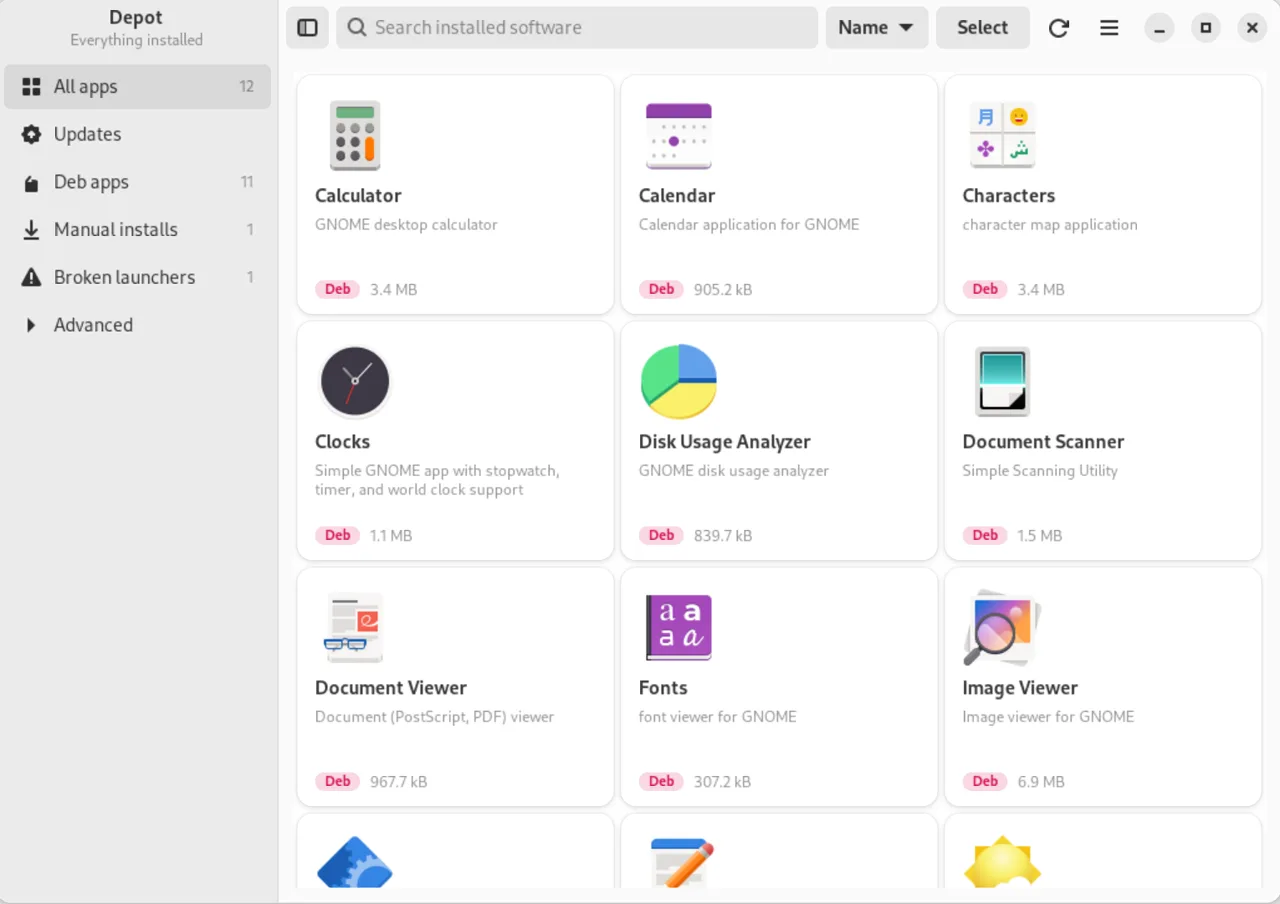
See them all, keep them updated, and remove what you don't need. Made for people new to Linux.
Illustration with sample apps.
No sound. Press play when you like.
Version 0.4.0 on a clean Ubuntu 24.04, with GNOME's stock look. On your computer it wears your theme.
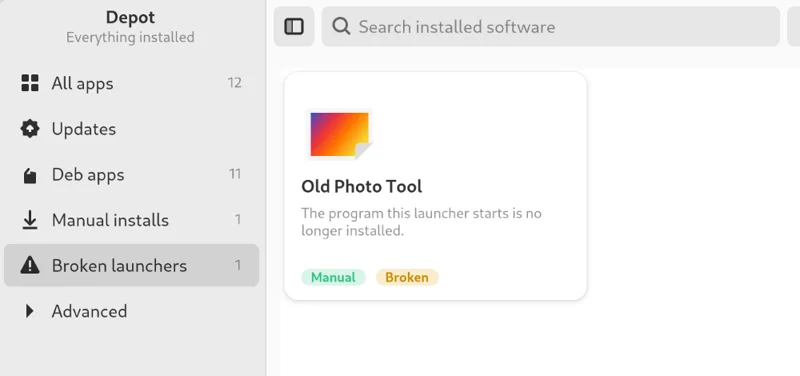
Depot tells you which, in plain words, and gets it right even when an install script hid it.
Under Advanced: cargonpmpipxHomebrewNix
Every update has a tick box, all ticked to start with. Security fixes are marked.
Demo. Try it.
Nothing changes until you say so. Leftovers are listed, and you can keep them.
Demo. Try it.
Frees 412 MB
Runtimes stay behind when the apps that needed them are gone. Clean them up in one go. Pinned ones are left alone.
Demo. Try it.
2 runtimes no app uses, 1.4 GB
Installed as a Deb and a Flatpak? One card shows both, so you can keep just one.
Menu entries whose app has already left are found and moved to the Trash.
About 0.1 sto read 2,500 packages, once it has run once
About 2 MBone native program
360 pxevery screen fits a phone
Speed measured on one computer with 2,539 packages. The first run can take a few seconds.
It needs GTK 4.14 and libadwaita 1.5 or newer, on x86_64.
| System | Install with | Status |
|---|---|---|
| Ubuntu 24.04+, Zorin OS 18+, Mint 22+, Debian 13+ | .deb | Most tested |
| Fedora 40+ | .rpm | Newer support |
| Arch Linux | From source | Newer support |
| openSUSE | From source | Should work, untested |
In the folder with your download:
sudo apt install ./depot_*_amd64.debIn the folder with your download:
sudo dnf install ./depot-*.x86_64.rpmNo password needed. It goes in ~/.local.
git clone https://github.com/kimzam30/Nhako-Depot.git
cd Nhako-Depot
./install.shNhako Depot is for Linux computers only.
Install with: sudo apt install ./depot_0.4.0-1_amd64.deb
Yes. It is free and open source under the GPL-3.0-or-later licence, with no accounts, no ads and no tracking.
Anything with GTK 4.14 and libadwaita 1.5 or newer, on x86_64: Ubuntu 24.04, Zorin OS 18, Linux Mint 22, Debian 13, Fedora 40, Arch Linux, or newer. Debian-based systems are the most tested. Fedora and Arch support is newer.
It shows and manages what is already installed: every app, however it got there. It is not a store for finding new apps.
It shows what an uninstall will change before anything happens, and it uses your system's own package manager to do it. It won't remove things your computer needs to work. Apps installed by hand go to the Trash, so you can undo. You still decide what goes, and it comes with no warranty.
Your system asks, not Depot. It is your computer checking that it is really you before changing system software.
No. Your own files in your home folder are never removed, even if a link points into them.
It really is installed more than one way, for example as a Deb and a Flatpak. Depot shows one card with a badge for each, so you can keep just one.
No. It uses the internet only to check for and install updates, through the tools your computer already uses for that.
No. Other projects use the name Depot. This one is Nhako Depot, by kimzam.
kimzam made this, and takes on work like it.
See services